About
BrightPath is Now Part of the Colibri
Group of Companies
The team at BrightPath is excited to share that we’ve joined forces with Colibri Group – the parent company of other trusted brands in education like McKissock and the Superior School of Real Estate. We look forward to building on the success we have enjoyed with you in North Carolina as we work with Colibri Group to take our longtime focus on quality content, excellent instruction, and customer service national. Read more about the announcement by following this link.
Our Mission
At BrightPath, our goal is to provide high quality education to those in the appraisal and real estate industries by offering the best online and live in person classes in the State of North Carolina.
Our goal is to provide education that builds professional competency by delivering accurate, timely and engaging instruction and curriculum.
In early 2021 we became part of the Colibri Group family, allowing us to partner with McKissock Learning and Superior School of Real Estate to provide the most comprehensive and flexible educational offerings in the appraisal and real estate professions in North Carolina.
Company History
We’ve been proudly serving North Carolina since 1992. Once known as North Carolina Real Estate Education, Inc., BrightPath offers live and online classes for appraisal initial qualifying as well as continuing education. We also offer live and online continuing education courses for real estate brokers.
Our appraisal trainee qualifying class instructors are well regarded not only for their subject matter expertise but also for their teaching ability. We believe that if you are going prepare for a new career that is it our job to provide you with the content, knowledge, and information that you need to succeed and not simply take your money and let you out of class early. Rest assured, you will get your money’s worth!
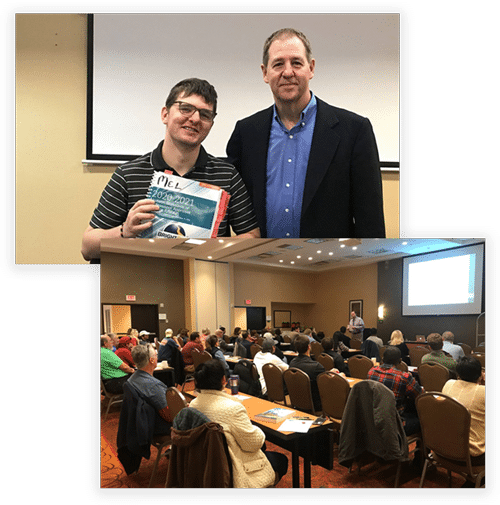
We excel at continuing education. Ask around! We’ve been told time and time again by our students that take all their CE from BrightPath because they can trust us to provide accurate, timely, authoritative, unbiased instruction on appraisal methodology, approaches to value, appraisal theory, case law, Appraisal Board rules and law, Real Estate Commission Rules and laws, BPOs, AVMs, Collateral Underwriter, and the things you need to know to “stay out of the ditches” so to speak. If you are going to pay money to be in class and lose money by missing time at work, then we are going to provide you with quality information you can apply immediately in your work.
Online education is a big part of what we do. We have a full line of continuing education classes available and work with your partners to keep new and fresh classes coming each year. Based on the Board’s or Commission’s requirements, we have those initial qualifying classes that are allowed to be taken online.
In early 2021 the BrightPath team joined forces with Colibri Group – the parent company of schools like McKissock and the Superior School of Real Estate. As a part of Colibri Group, we look forward to building on the success we have enjoyed in North Carolina nationally as we continue to focus on providing high quality instruction.